Report Guide
The SAFE On-Prem report page presents the results of a security analysis in a structured and navigable format. It allows users to assess the overall security posture of a project and inspect individual vulnerabilities in detail.
Security Overview
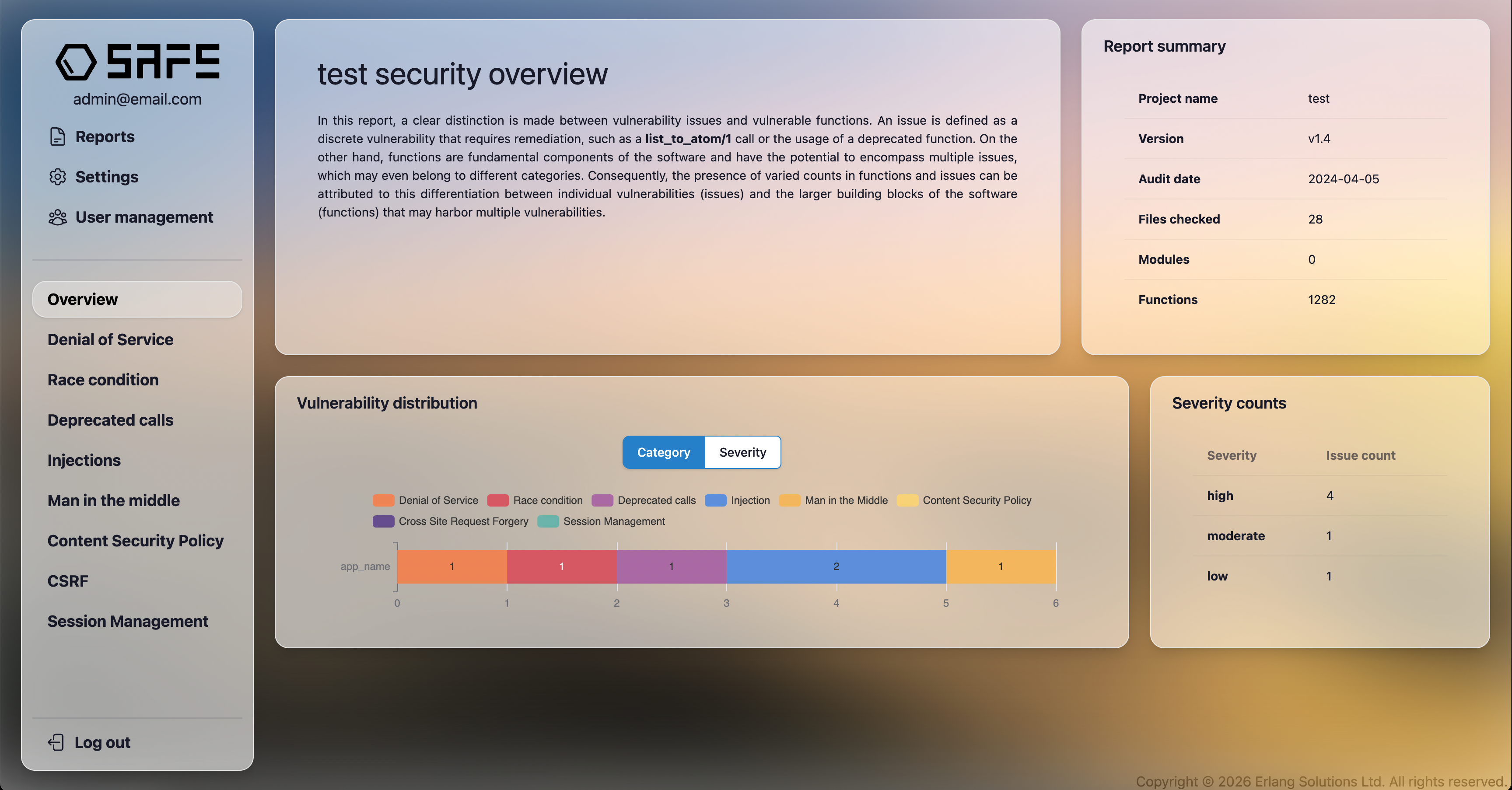
The Security Overview section explains how SAFE models and reports vulnerabilities.
SAFE makes a clear distinction between:
- Vulnerabilities: Individual vulnerability occurrences that require remediation (for example, a specific unsafe function call).
- Vulnerable functions: Functions that may contain one or more issues, potentially belonging to different vulnerability categories.
Because a single function can contain multiple issues, the number of reported issues and vulnerable functions may differ. This distinction helps users understand whether vulnerabilities are isolated or concentrated within specific parts of the codebase.
Report Summary
The Report Summary panel provides high-level metadata about the analysis:
- Project name – Name of the analyzed project.
- Version – SAFE version used for the analysis.
- Audit date – Date when the analysis was performed.
- Files checked – Number of source files included.
- Modules – Number of detected modules.
- Functions – Total number of functions analyzed.
This information is useful for traceability and for comparing reports across multiple analysis runs.
Vulnerability Distribution
The Vulnerability Distribution section visualizes how detected issues are grouped.
- The chart can be toggled between Category and Severity views.
- Categories include vulnerability classes such as:
- Denial of Service
- Race Conditions
- Deprecated Calls
- Injections
- Man-in-the-Middle
- Content Security Policy
- CSRF
- Session Management
- Each bar represents the number of detected issues for the selected grouping.
This view helps identify dominant vulnerability types and areas that require immediate attention.
Severity Counts
The Severity Counts panel summarizes the number of detected issues by severity level:
- High
- Moderate
- Low
Severity levels indicate the potential impact and exploitability of an issue and are intended to guide prioritization during remediation, If a vulnerable function call is inside of a loop or recursion, and/or it has more references throughout the source code, it has a more potential to be executed, therefore a higher severity will be assigned to it.
Category-Specific Sections
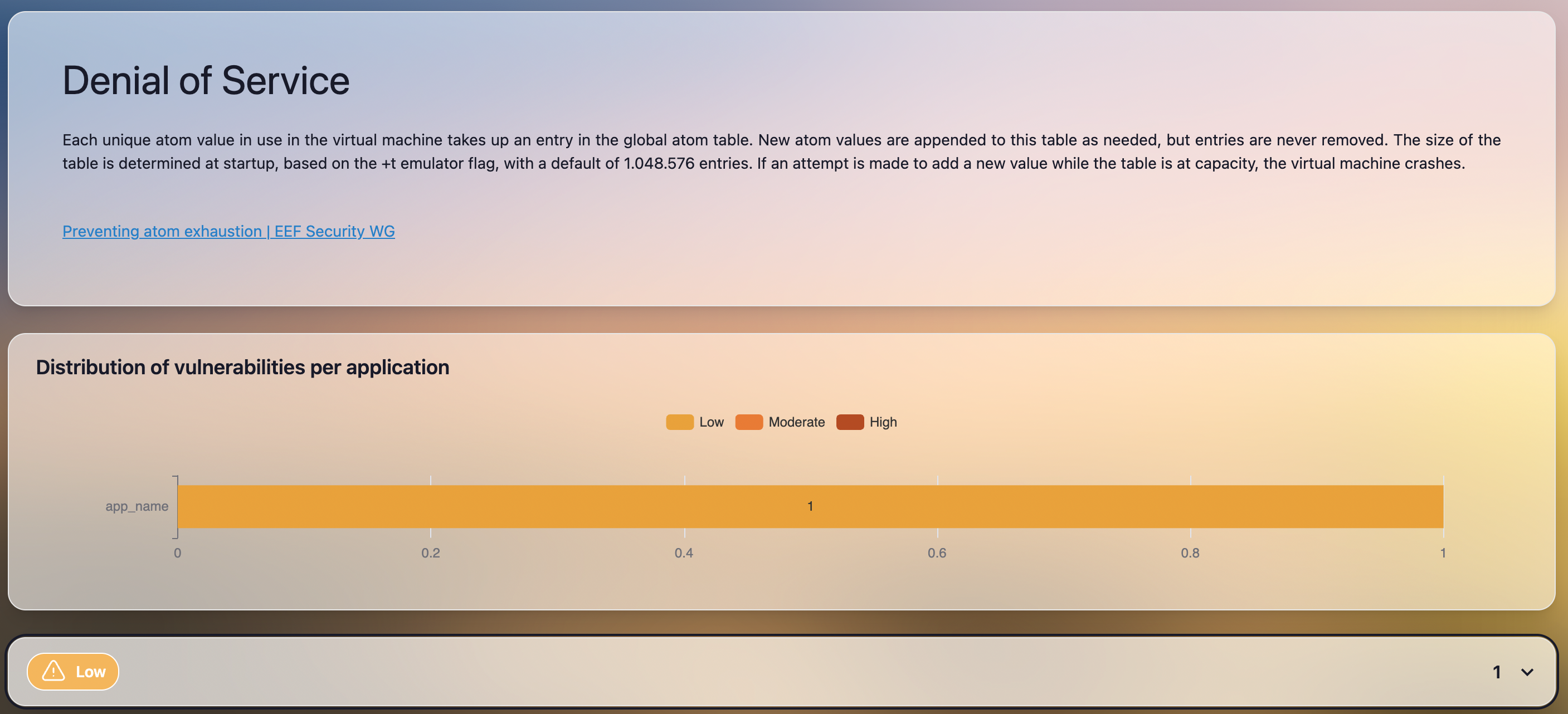
Each vulnerability category (for example, Denial of Service) has its own dedicated section.
These sections include:
- A brief explanation of the vulnerability type and its potential impact.
- Links to relevant external documentation or best-practice resources when available.
- A chart showing the distribution of vulnerabilities per application, broken down by severity.
This helps users understand how a specific vulnerability class affects different components of the system.
Vulnerability Details
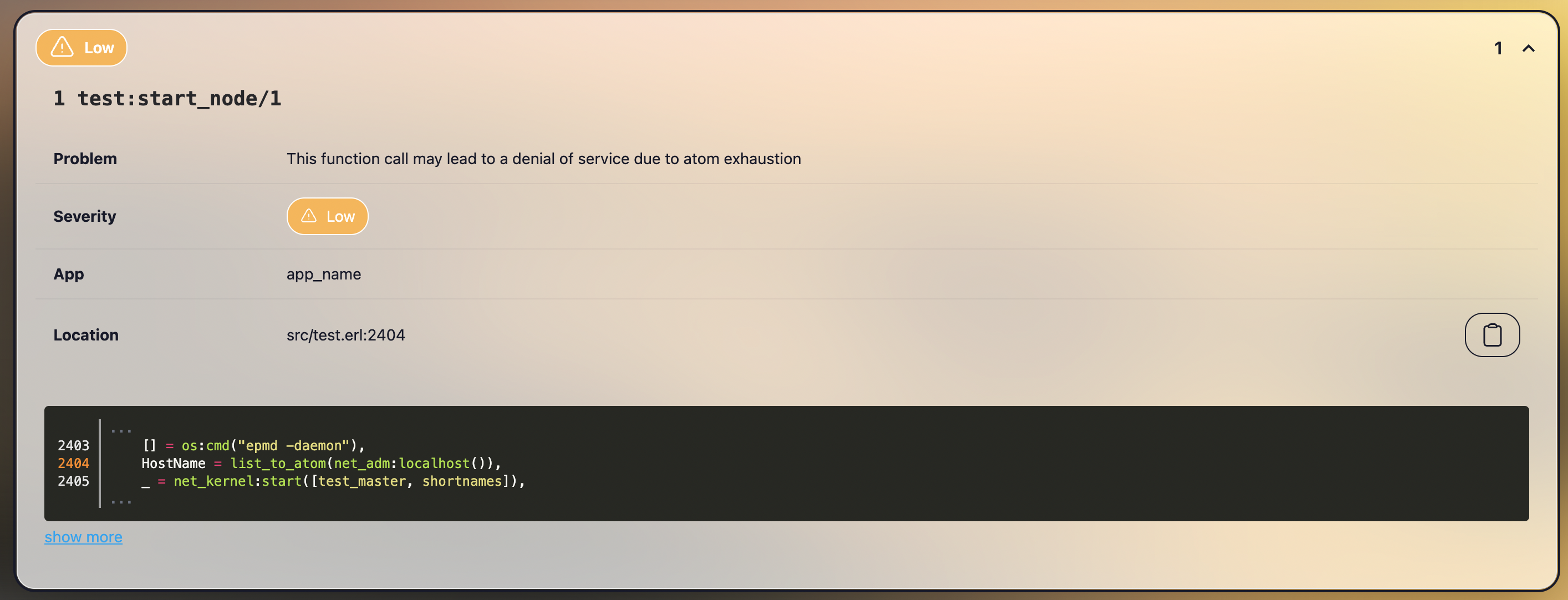
Individual vulnerabilities are presented as expandable entries. Each entry provides detailed information, including:
- Affected function – The function in which the issue was detected.
- Problem – A concise description of the detected vulnerability.
- Severity – Assigned severity level.
- Application – The application or component where the issue occurs.
- Location – File path and line number of the relevant code.
A code snippet is displayed to highlight the exact location of the issue in context. Users can expand the snippet to view additional surrounding code.
This detailed view is designed to support efficient investigation and remediation by developers.